

You already know the late-night feeling of checking your dashboard and finding ten more abandoned carts, another email asking if that out-of-stock item is back, and your last five orders sitting without a single review. You are doing all of this manually, and that stops today. WooCommerce automation to increase sales are the single biggest lever you can pull to grow your store without hiring anyone new.
Table of Contents
In this guide, I’m going to show you the best WooCommerce automations that run while you sleep. Each one recovers lost revenue, builds loyalty, or increases your average order value.
You will find the best plugins for each automation, including our free tools from StoreBoostKit that solve problems most store owners ignore. Let’s get your store working for you.
Contact us if you need tailored solutions with your WooCommerce store with custom plugins or any kind of optimization help.
11 WooCommerce Automation Tools That Drive Revenue on Autopilot
Most store owners grow by working more hours. They answer support tickets manually, send promotions one by one, and chase reviews themselves. That approach has a hard ceiling. Automation removes the ceiling entirely by replacing repetitive tasks with rules that fire on their own, every hour of every day, without you touching a thing.
You do not need to be a developer to automate your store, nor do you need a massive budget. You just need the right triggers, messages, and tools. The following WooCommerce automation tools give you exactly that. The 11 automations below are ranked by impact, from the fastest money-maker to the loyalty builder that keeps customers coming back year after year.
So, let’s get started and explore the game-changing WooCommerce automation features:
1. Abandoned Cart Recovery – best WooCommerce Automation you can set today
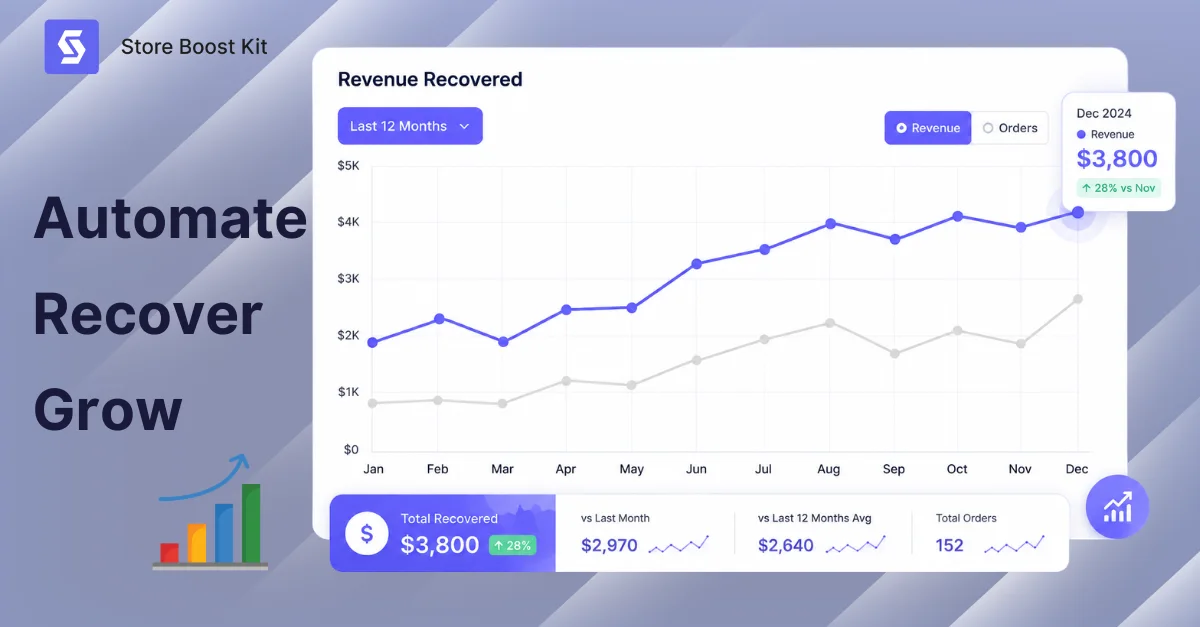
Abandoned cart recovery is the highest-ROI automation you can set up this week. In fact, WooCommerce automations to increase sales always start here. Nearly seven out of ten shoppers add items to their cart and leave without buying, but that is not lost money. It is money waiting for a nudge.
You know the feeling- you add shoes to your cart, get distracted, and forget. Three hours later, an email arrives with 10% off, and you click and buy. That store turned a ghost into a customer, and yours can do the same. When a shopper adds products, starts checkout, and then disappears, your automation tracks that cart and sends a recovery email. The best sequences send three emails at one hour, one day, and three days, each escalating the offer.
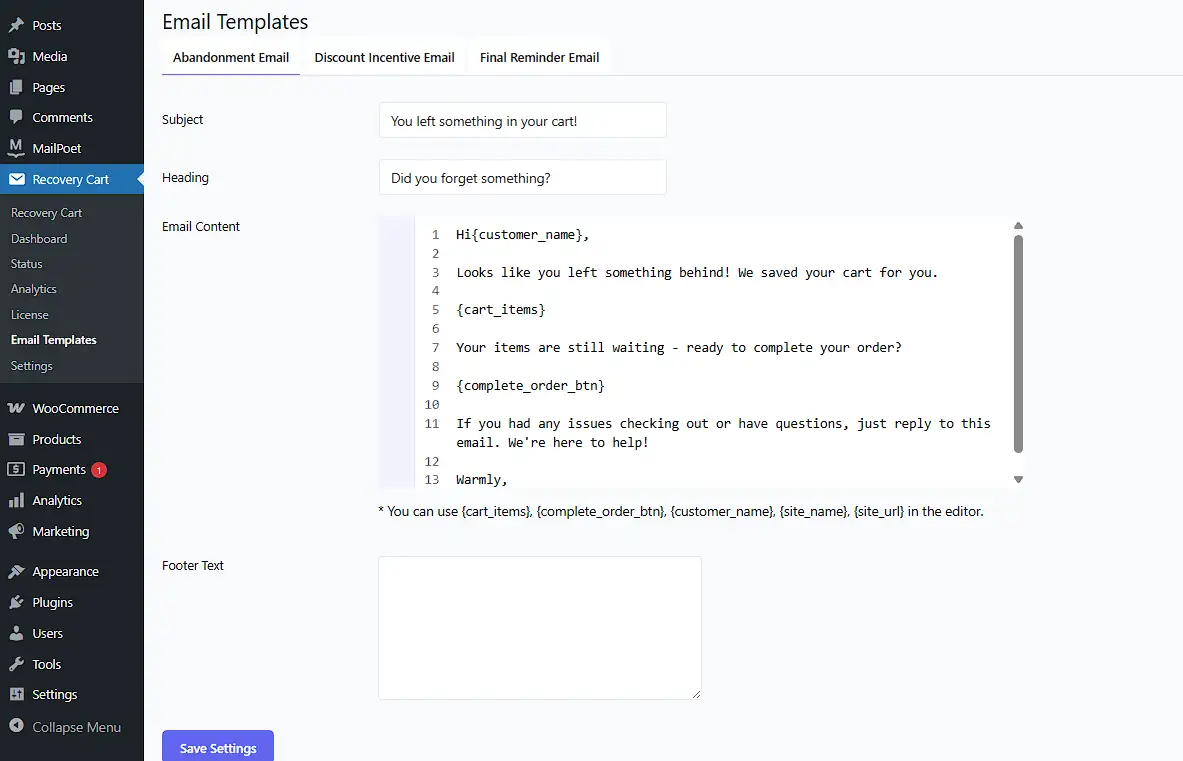
StoreBoostKit Recover Abandoned Cart is the free WordPress plugin to setup this super-useful automation to your WooCommerce system. It captures carts before the customer even enters an email. Then recovers guest checkouts that other tools miss and sends tokenized URLs that restore carts with auto-applied discounts. So, install this free WP plugin now and set your first email one hour after abandonment, because that is the sweet spot.
Read our full guide to know more about WooCommerce Cart Abandonment and understand exactly why shoppers leave.
2. Welcome Series for New Subscribers
A welcome series turns subscribers into first-time buyers. Someone just told you they are interested, so do not waste that moment with a generic thanks for subscribing message. WooCommerce automations to increase sales need to strike while the iron is hot.
And the best sequences do three things:
- Deliver a discount immediately
- Show your best products, and
- Prove that other people love buying from you.
Email one sends instantly with a welcome message and 15% off. Email two arrives two days later, showcasing what customers love most. Email three lands five days after that with a reminder that the discount expires in 48 hours. Three emails, one new customer, and a relationship that just got started on the right foot.
Omnisend offers prebuilt templates with SMS included, while Mailchimp for WooCommerce has a free tier to get you started. Set it up once and let it run.
3. Expiry-Driven Sales WooCommerce Automation
Expiry-driven sales automation is the hidden weapon for perishable goods. If you sell supplements, cosmetics, or food, this saves you from throwing money in the trash, and it is one of the WooCommerce automations to increase sales that most competitors completely ignore.
Consider a store owner running a skincare brand who used to manually discount products nearing expiry. He would miss some, they would expire on the shelf, and that was pure lost margin. Now products automatically go on sale thirty days before expiry, sell out reliably, and nothing goes to waste.
You set an expiry date, and as it approaches, the price drops automatically. Customers see a label reading Expires in 14 days, now 20% off. Once expired, the product hides from your catalog entirely, and you get admin alerts before anything goes bad.
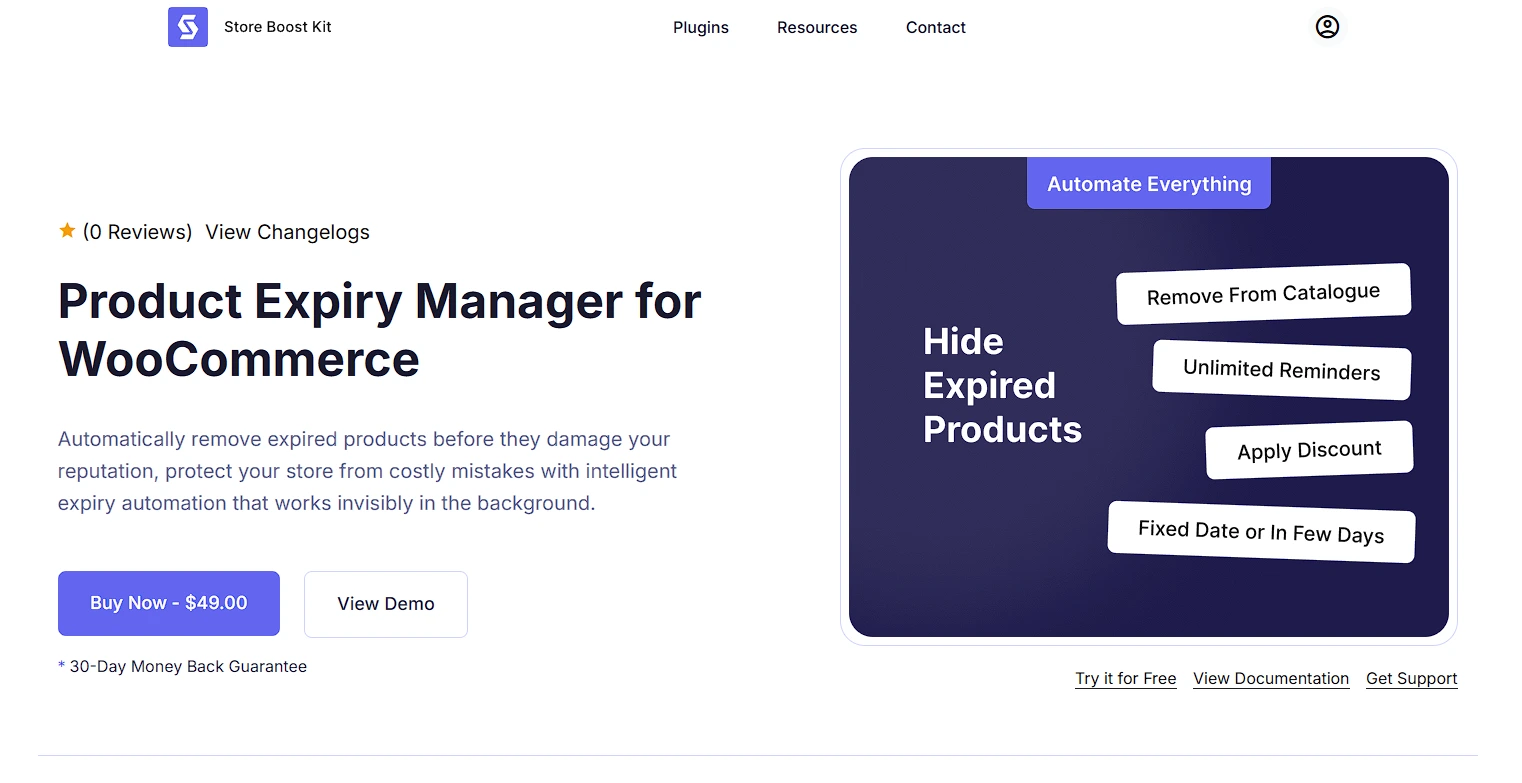
Here comes our free plugin – Product Expiry Manager that handles every step of this process.
Simply, set an expiry date on any product using this plugin. When it gets close that expiry date (say, 30 days out), the price drops automatically. Then show customers the note – “Expires in 14 days | 20% off NOW.”
Some will actually buy it right after seeing this pop-ups. You see? One automation on inventory, now you have less headache on revenue loss.
However, once the product actually expires, it disappears from your store. Our plugin do that automatically. No more explaining to a customer why the lotion they just ordered is three months past its date. It also sends you email alerts before the expiration happend. So even if the automation fails (it won’t, but you still want to know), you’re not caught off guard. Just automate your inventory with our free plugin now and avoid on missing revenue.
4. Set-up Automatic Win-Back Campaigns
Win-back campaigns bring dormant customers back to life. They bought six months ago and then went silent. Mostly, they’re not angry, maybe they’re just busy. And fortunately, WooCommerce automations to increase sales can fix that silence automatically. It’s five times cheaper to sell to an existing customer than to acquire a new one. Because they already trust you and know your products, so they just need a reason to return.
When a customer has not purchase in sixty to ninety days, your system tags them as at risk and sends a personalized email like, “We miss you, here is 20% off, and it expires in 48 hours.” The urgency works reliably, and they often come back.
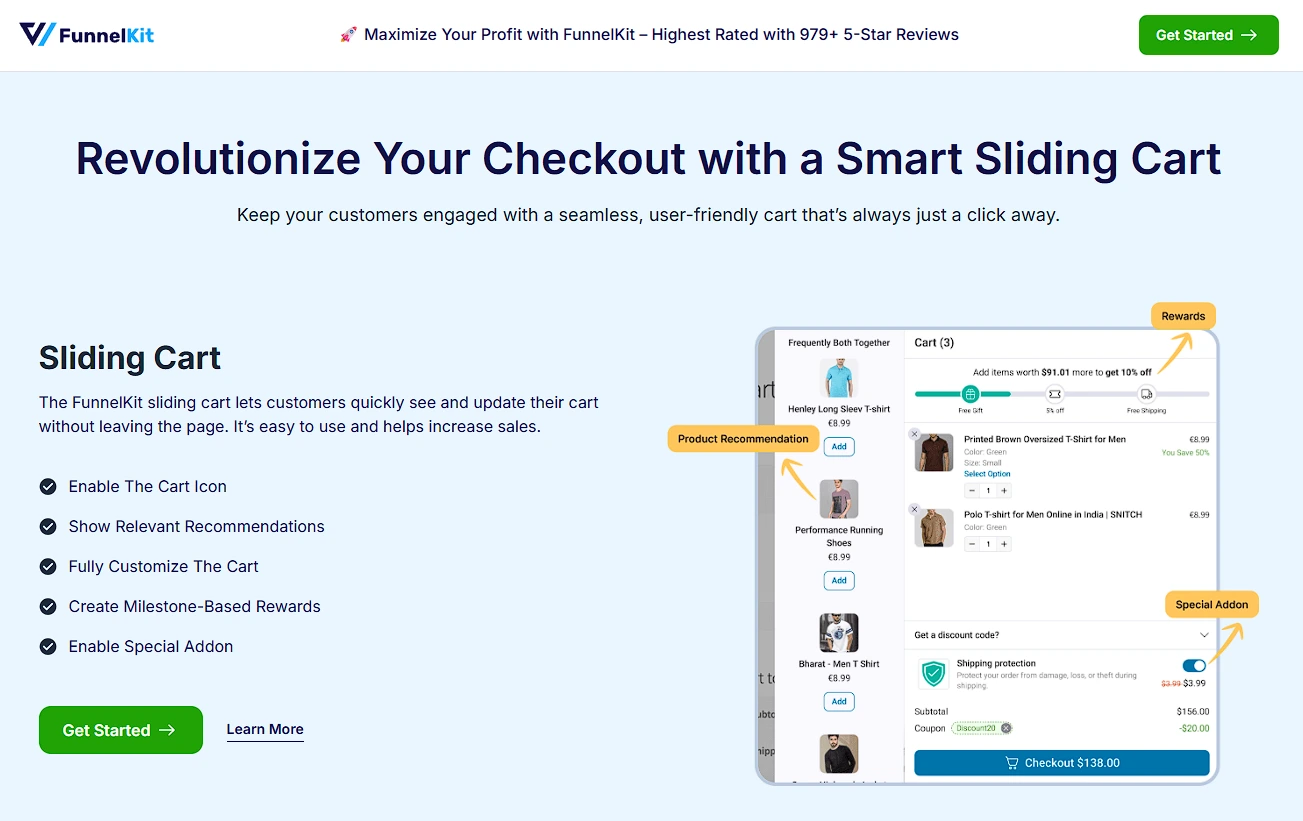
Use FunnelKit Automations system for your WooCommerce store. It has prebuilt win-back recipes ready to deploy, while AutomateWoo lets you build fully custom rules. Segment by last purchase value, because a $300 customer deserves a bigger offer than a $20 one.
5. Dynamic Coupons and Discounts
Dynamic coupons create personalized offers that feel handmade rather than mass-blasted. Generic sitewide sales train customers to wait for the next promotion. Dynamic coupons reward behavior, not timing, and they are essential WooCommerce automations to increase sales.
A sitewide sale says everyone gets 20% off. A dynamic coupon says you looked at this product three times, here is 15% off just for you. One feels like panic pricing, and the other feels like a thoughtful gift. Trigger them on any behavior: cart value hits $100, a customer visits a page five times, or loyalty points reach a milestone. The coupon generates and applies with a single click.
Use Advanced Coupons to create BOGO offers and URL coupons, and try WPLoyalty to add points-based rewards on top. URL coupons are the secret weapon here, because the customer clicks and the discount applies instantly with no code to remember.
6. Back-in-Stock Alerts
Back-in-stock alerts turn your out-of-stock page from a dead end into a sales pipeline. Every sold-out label represents a customer who wants to give you money, and WooCommerce automations to increase sales should never let them walk away empty-handed.
Consider a supplement store where the protein powder sells out every month. Before back-in-stock alerts, those customers simply vanished. With automated restock notifications, they leave their email, get notified when stock returns, and buy within hours. Some buy even faster when a small discount is included in the restock email.
A shopper sees a simple form on your out-of-stock product asking if they want a reminder when it is back. They subscribe, you restock, they get an email, and they buy.
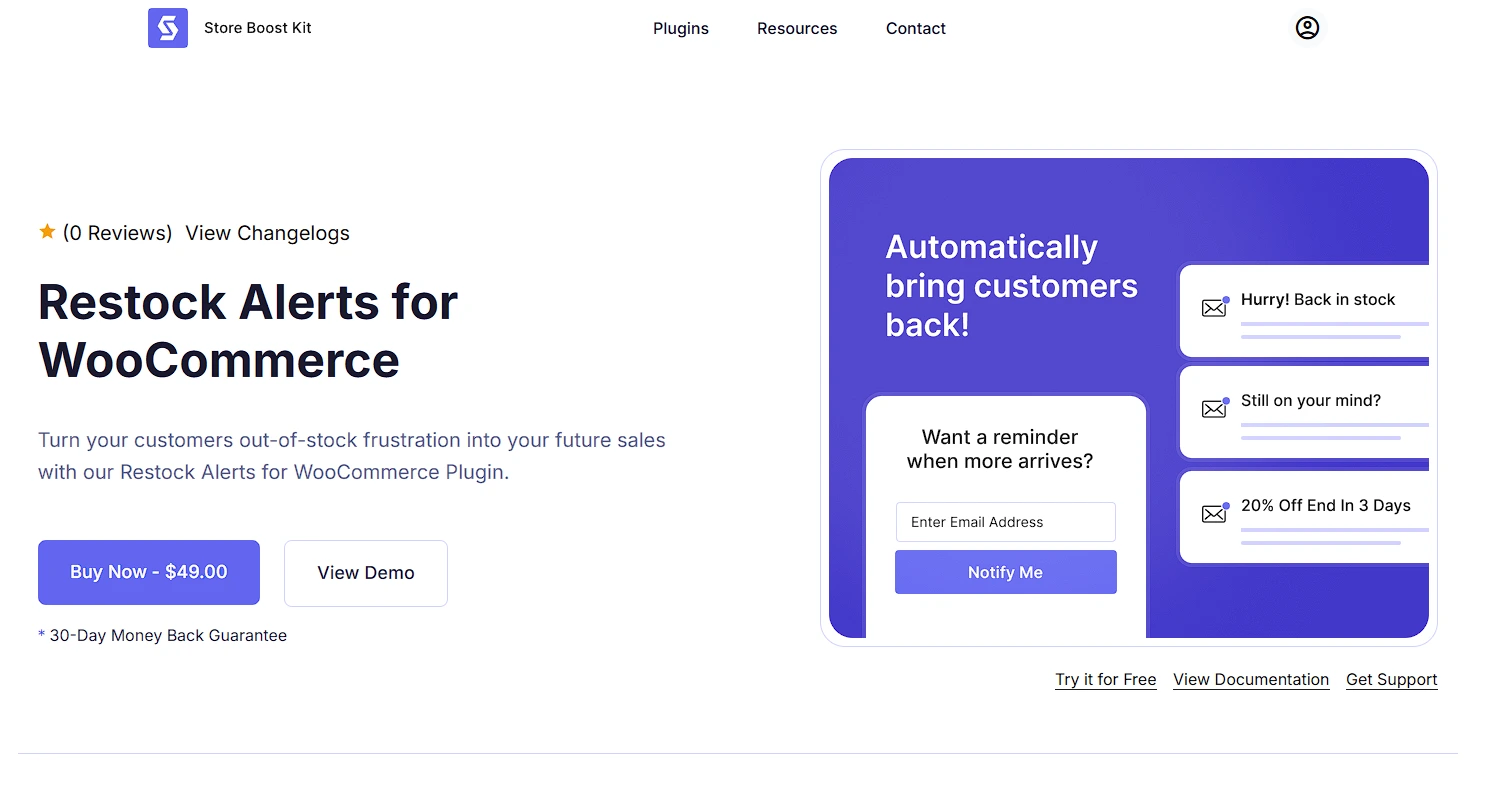
The free WordPress plugin, Restock Alerts verifies subscribers, sends follow-up reminders, and lets you attach personalized discount codes to the notification. Set a low-stock threshold, so shoppers see only 3 left, because that urgency drives immediate purchases before they think twice.
7. Automated Review Requests
Automated review requests build the social proof that turns browsers into buyers. Nobody wants to be the first to try something. They want to see fifty people love it first, and WooCommerce automations to increase sales depend heavily on that trust.
Happy customers simply do not leave reviews on their own. Life gets busy. The package arrives, they love the product, and three weeks later, they have completely forgotten your store name. You have to ask at exactly the right moment. That moment is seven to fourteen days after delivery, when they have used your product enough to form an opinion, but the excitement has not yet faded.
StoreBoostKit Review Follow Up sends the first request automatically, and if there is no response, it follows up with a reminder and a final nudge. It only rewards verified purchasers with discount codes after approval, so you get real social proof without fake reviews. Customer Reviews for WooCommerce adds photo reviews on top of that.
Target your highest-value orders first, because a five-star review on a $200 order is worth more than ten reviews on $10 items.
8. Smart Customer Segmentation
Smart segmentation lets you send the right message to the right person at the right time. Not all customers are equal, and WooCommerce automations to increase sales perform significantly better when you treat different groups differently.
Your VIPs deserve VIP treatment. At-risk customers need a rescue plan. New subscribers need education. The system watches behavior, purchase frequency, average order value, and last purchase date, then tags segments automatically without any manual work.
Use the RFM model: Recency, Frequency, and Monetary value. Recent, frequent, big spenders are your VIPs. Former frequent buyers who have gone quiet are at risk. New subscribers need nurturing through education. VIPs get early access to new products, at-risk customers get win-back offers, and new subscribers get onboarding content.
FluentCRM is WordPress-native with behavioral tagging built in, while Omnisend offers prebuilt segments to get started faster. Begin with just three segments: VIPs, at-risk, and new subscribers. That alone is enough to double your email revenue.
9. Personalized Product Recommendations
Personalized recommendations increase average order value by showing customers what they actually want to buy next, not what you want to sell them. That distinction is what makes WooCommerce automations to increase sales feel helpful rather than pushy.
Amazon’s customers who bought this item also bought section drives billions in revenue. You can apply the same logic to your store. The automation analyzes browsing history and past purchases, then displays related products in the cart, on product pages, and inside post-purchase emails.
FunnelKit Cart offers in-cart recommendations with milestone rewards baked in, while Beeketing uses AI to power its suggestions. Show three to four products maximum, because more becomes noise and less misses the upsell opportunity.
10. Automated Order Status Updates
Automated order status updates build trust by keeping customers informed at every step of the journey. Silence after a purchase creates anxiety about whether the order went through and when it will ship, and WooCommerce automations to increase sales must answer those questions before the customer even thinks to ask.
Every unanswered question after a purchase turns into a support ticket. The fix is straightforward: send a branded email at every status change, covering confirmed, dispatched, out for delivery, and delivered. Four automated emails and zero manual work.
FunnelKit Automations sends branded emails and SMS together in a single workflow, while YITH WooCommerce SMS adds Twilio integration for standalone SMS. SMS gets opened more reliably, so use it for dispatched and delivered updates and save email for order confirmations.
11. Birthday and Anniversary Campaigns
Birthday campaigns make customers feel seen, and feeling seen drives loyalty. The message is personal, unexpected, and arrives when they are already in a spending mindset. These small touches represent WooCommerce automations to increase sales that most competitors forget to build.
Capture the birthday at checkout. The automation then schedules an email seven days before with a happy early birthday message and 20% off valid for two weeks. They feel genuinely special, they buy, and they remember your store long after the birthday passes.
FunnelKit Automations includes birthday recipes with dynamic coupons ready to go, while AutomateWoo lets you build custom date-based rules for any milestone. Do not stop at birthdays, either. Purchase anniversaries work equally well. A message that says it has been one year since your first order, here is a thank-you gift that turns one-time buyers into lifelong fans.
Best Automation Plugins by Category
Here is a quick reference table for you to understand which
| Automation | Best Plugin | Free Version | Starting Price | Why It Wins |
| Abandoned Cart Recovery | StoreBoostKit Recover Abandoned Cart | Yes | Free | Session recovery, guest checkout |
| Win-Back Campaigns | FunnelKit Automations | Yes | $99/year | Prebuilt recipes, CRM profiles |
| Expiry-Driven Sales | StoreBoostKit Product Expiry Manager | Yes | Free | Auto-pricing, auto-hiding |
| Welcome Series | Omnisend | Yes | From $16/month | Prebuilt templates, SMS |
| Back-in-Stock Alerts | StoreBoostKit Restock Alerts | Yes | Free | Follow-ups, discount codes |
| Automated Review Requests | StoreBoostKit Review Follow-Up | Yes | Free | Verified rewards, smart targeting |
| Dynamic Coupons | Advanced Coupons | Yes | $59.50/year | BOGO, URL coupons |
| Customer Segmentation | FluentCRM | Yes | $129/year | WordPress-native, behavioral tags |
| Product Recommendations | FunnelKit Cart | Yes | $99.50/year | Milestone rewards |
| Order Status Updates | FunnelKit Automations | Yes | $99/year | Multi-channel, branded emails |
| Birthday Campaigns | FunnelKit Automations | Yes | $99/year | Date-based triggers |
For more plugin ideas, check out 5 must-have WordPress plugins for WooCommerce store owners.
How to Stack These for Maximum Revenue
You do not need all eleven automations running on day one. Start with revenue recovery, then move to loyalty, and finish with optimization as your store scales.
- Layer one is operational: abandoned cart recovery, back-in-stock alerts, and order status updates. These plug leaks and recover revenue you are currently losing.
- Layer two is engagement: review requests, welcome series, and birthday campaigns build genuine customer relationships.
- Layer three is optimization: win-back campaigns, dynamic coupons, segmentation, and recommendations, which squeeze more value from the customers you already have.
Here is what a complete customer lifecycle looks like with all three layers working together. A new subscriber joins, and your welcome series sends a discount. They buy, and your order status updates keep them informed through delivery.
Two weeks later, your review request arrives, they leave five stars, and they receive a reward code in return. They use it for their second purchase. Six months later, they go quiet, and your win-back campaign brings them right back. That is a full lifecycle with zero manual touches on your end.
For more strategies on keeping shoppers from leaving, read 12 ways to reduce cart abandonment and boost sales to see how these automations fit into a broader retention strategy.
Conclusion
WooCommerce automations to increase sales are not a luxury for big stores with large teams. They are the difference between a store that drains your energy and one that runs reliably while you sleep. You now have eleven automations that recover revenue, build loyalty, and grow average order value without adding a single extra hour to your day.
Start with abandoned cart recovery because it is the fastest win you can get. Then add review requests and back-in-stock alerts right after. Those three automations alone will change how your store feels to run. Layer in the rest as you grow and as your budget allows.
If you need help choosing the right stack for your store, reach out to us, and we would love to hear what you are building. To understand the difference between cart and checkout abandonment, read our guide on what is checkout abandonment, which pairs perfectly with these automations.
Now pick three automations from this list, set them up this week, and watch what happens. Your future self will thank you.
FAQ
Can I set up these automations without coding?
Every plugin listed here works out of the box through a visual interface with no custom code needed.
How much revenue can abandoned cart recovery generate?
Industry data shows a 10% to 15% recovery rate with a solid three-email sequence, and some stores see even higher numbers when they include personalized discounts.
Do I need one all-in-one plugin or multiple specialized ones?
Specialized plugins do one thing very well. StoreBoostKit offers four focused tools, while FunnelKit Automations covers many use cases in a single suite. Both approaches work well, depending on your budget and how much flexibility you want.
How do back-in-stock alerts increase sales?
They capture demand that would otherwise disappear entirely. The customer already wanted your product, so the alert brings them back at exactly the moment they can buy. Add a small discount to the notification and conversions climb even further.
How do I measure automation ROI?
Track revenue recovered from abandoned carts, review submission rate, repeat purchase rate from win-back campaigns, and average order value lift from recommendations. Most plugins include built-in analytics dashboards to make this straightforward.
