

When running an online store, you can’t just list your products and hope for sales. It is an incredibly competitive landscape, no matter which product niche you decide to sell. And to truly see growth in your e-commerce business, you need the must have WordPress plugins for WooCommerce store to add functionality to your store. It can’t be a static page. A dynamic store can only show you the success ladder.
Table of Contents
Employ these best third-party plugins that can automate tedious tasks and add dynamic interfaces to retain modern shoppers. That being said, let’s dive into this article and discuss the top 5 must-have WooCommerce plugins that need your attention.
Top 5 Must Have WordPress Plugins for WooCommerce Store
In a successful WooCommerce store, essential plugins focus on boosting sales, enhancing user experience, and managing operations efficiently. Thus, you must install and use these must have WordPress plugins for WooCommerce store to boost the overall performance of your business and win more sales.
Let’s see the top 5 must-have WooCommerce plugins for your online store:
1. Product Expiry Manager for WooCommerce
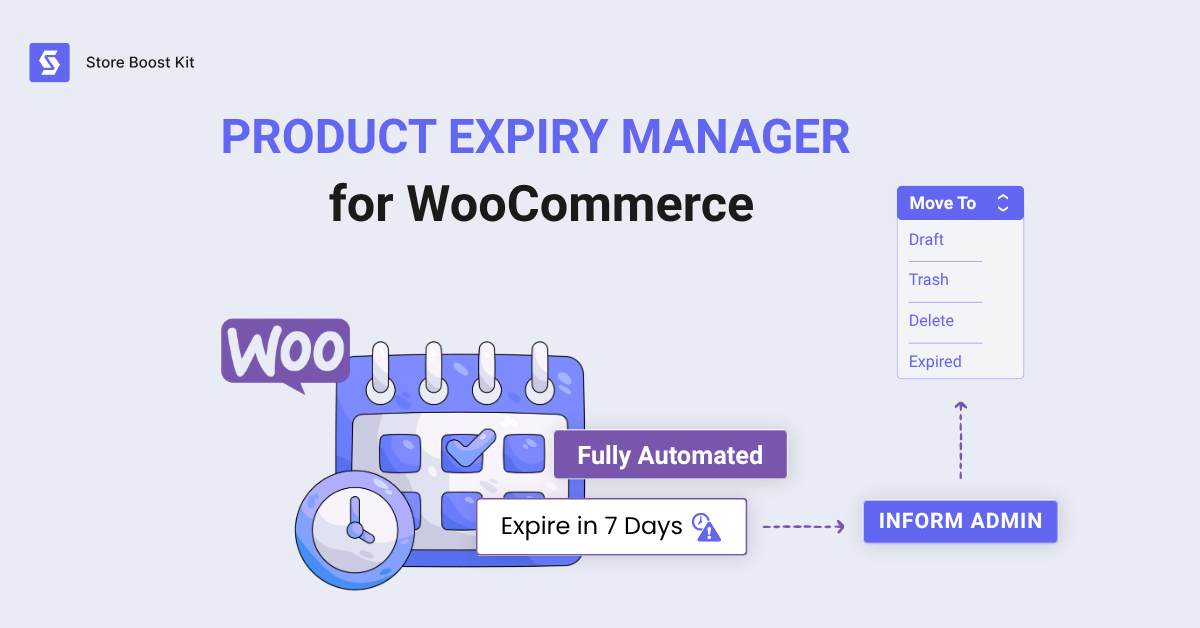
This WP plugin automatically manages product expiration dates. It can also bulk hide expired items from your online catalogue, protecting your brand reputation easily.
Not only that, the Product expiry manager has some of the very unique features that can genuinely help you convert browsers into buyers.
Key Features:
- Automated Monitoring: The plugin constantly checks product status in the background.
- Email Reminders: It sends unlimited email notifications before expiration.
- Status Updates: Expired products automatically move to draft or trash.
- Smart Pricing: The plugin applies sale prices to items near expiration.
Why Choose This Plugin:
Product Expiry Manager for WooCommerce can save you hours of manual inventory checks. It’s easy to use, lightweight, and smoothly goes with other essential WooCommerce plugins and builders. One of the best e-commerce plugins out there for expired product automation.
And that’s not all!
You prevent customers from seeing outdated products. This reduces product waste and also ensures compliance with time-sensitive inventory.
Pricing: $49 per year
Download Product Expiry Manager
2. Variation Monster
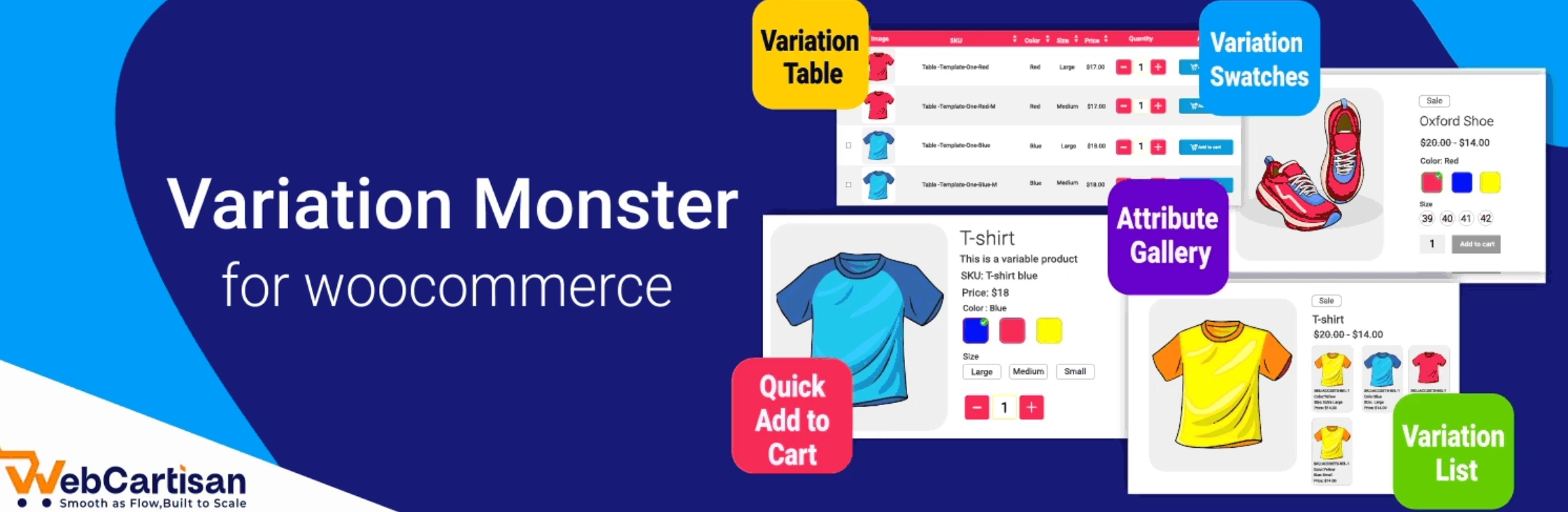
This WooCommerce plugin improves product variations in your store. It replaces boring dropdown menus with visual swatches.
As a result, customers can select options much faster and appreciate your store’s modern UI.
Key Features:
- Variation Swatches: You can use colours, images, and labels for variations.
- Quick Cart Carousel: Shoppers can add items directly from the shop page.
- Variation Table: You can display all options in a clear table format.
- Attribute Gallery: The plugin assigns specific images to individual attributes.
Why Choose This Plugin:
Variation Monster combines multiple variation features into one tool. You do not need to buy separate add-ons.
It also speeds up the purchasing process and boosts your overall conversion rates.
Pricing: The basic version is free. The Pro version starts at $99 per year.
3. WooCommerce Subscriptions
This tool allows you to offer subscription-based products and sell items with recurring payments. It is best suited for physical goods and digital services.
Key Features:
- Multiple Billing Schedules: You can charge customers daily, weekly, or annually.
- Free Trials: You can offer free trial periods to new subscribers.
- Automated Emails: The system sends renewal invoices automatically.
- Subscriber Management: Shoppers can upgrade or downgrade their own plans.
Why Choose This Plugin:
It creates a steady stream of recurring revenue. As a result, you can easily track your expected income. It also builds long-term customer loyalty over time.
Pricing: This premium plugin costs $279 per year.
Download WooCommerce Subscriptions
4. Yoast SEO for WooCommerce
This e-commerce plugin optimizes your online store for search engines. In general, it helps your products rank higher on Google. That way, you can attract more organic traffic to your site.
Key Features:
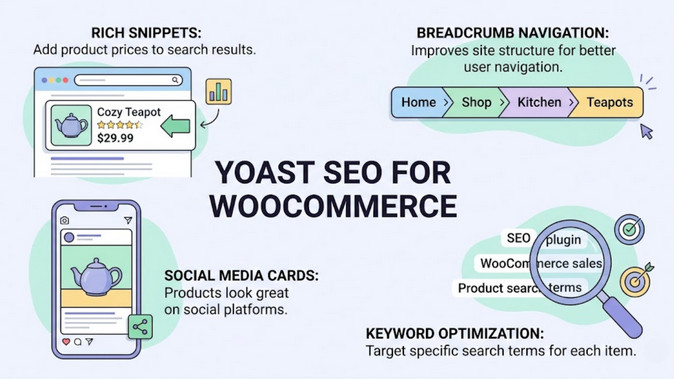
- Rich Snippets: It adds product prices to search results.
- Breadcrumb Navigation: It improves site structure for better user navigation.
- Social Media Cards: Products look great on social platforms.
- Keyword Optimization: You can target specific search terms for each item.
Why Choose This Plugin:
More visibility brings more potential buyers. It handles technical SEO tasks automatically. Hence, you do not need coding skills for this tool.
Pricing: The WooCommerce extension costs $79 per year.
Download Yoast SEO for WooCommerce
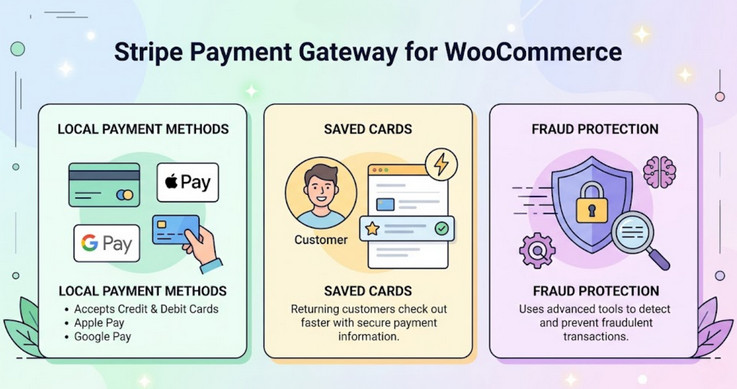
5. Stripe Payment Gateway for WooCommerce
This plugin processes credit card payments directly on your store. By doing so, customers do not leave your website during checkout.
It basically ensures a very smooth payment experience, which is crucial for any online store.
Key Features:
- Local Payment Methods: It supports credit cards, Apple Pay, and Google Pay.
- Saved Cards: Returning customers can check out faster with saved details.
- Fraud Protection: Stripe uses advanced tools to detect fraud.
- Automatic Receipts: The system sends payment receipts to buyers instantly.
Why Choose This Plugin:
A seamless checkout reduces cart abandonment. It builds customer trust through secure transactions.
The setup process is also quick and simple, which is quite beginner-friendly.
Pricing: The plugin is free. Stripe charges standard transaction fees per sale.
Download Stripe Payment Gateway for WooCommerce
How to Choose The Right WooCommerce Plugin
If you want to strengthen your online store, you shouldn’t throw whatever plugin you find on the market. That’s a bad approach. Adding too many plugins can bloat your website. So adopting a “less is more” mindset is the best policy here.
You need to take the time to define your specific needs and choose the plugin that’s suited for you. Here’s how:
- Define Your Store’s Needs: Consider your traffic volume, budget, and customer type (such as guest vs. registered checkouts). First, start with free versions of your desired plugin. If you like it after the trial, pay only for premium features (like advanced analytics or automated notifications) when your store needs them.
- Prioritize Site Speed: A heavy, poorly coded plugin can drag down page load times and directly cost you sales. Always test your product pages with tools like GTmetrix before and after installation. This way, you can ensure your performance stays crisp.
- Verify Theme & Core Compatibility: Ensure the tool is fully compatible with your current WooCommerce version, page builders, and modern block themes. Conflicts can easily break your store’s layout or checkout process.
- Check the Plugin’s Pulse: Before hitting download, look at the active install count, user reviews, and developer support quality. For security and reliability, the plugin should ideally have been updated within the last six months.
- Evaluate True Long-Term Costs: Look past the initial price tag. Calculate your actual long-term expenses by comparing annual renewals, freemium tier limitations, and per-site versus unlimited licenses.
- Always Test First: Install a free or lite version first. Test the functionality across mobile devices and check the frontend user experience. Always ensure the plugin offers an easy way to export or migrate your data if you eventually outgrow it.
Let’s be honest, selecting the most appropriate solutions isn’t an easy task. So, follow the above-mentioned framework regardless of your company size.
Frequently Asked Questions
Q: What are the best shipping plugins for WooCommerce?
A: Poorly coded WooCommerce extensions can consume server resources and noticeably slow down your website. However, a well-optimized plugin, like Restock Alerts for WooCommerce, doesn’t affect site speed at all.
Q: Can WooCommerce extensions slow down my site?
A: Top shipping plugins for WooCommerce include WooCommerce Shipping, Table Rate Shipping, and ShipStation. All of them offer features like discounted rates and streamlined label printing.
Q: What is the best WooCommerce plugin to bulk remove expired products?
A: For bulk deleting expired products, Product Expiry Manager for WooCommerce is ideal for quickly clearing entire catalogues.
Bottom Line
Optimizing a marketplace requires reliable, feature-rich plugins that can address specific issues efficiently.
And these above-mentioned plugins can do exactly that!
So no matter your business size, use these plugins to enable smart automation and deliver an unparalleled browsing experience for your valued customers.
