

You’ve got traffic coming to your WooCommerce store, but somehow you’re watching potential customers browse, add products to cart, and then… disappear.
Table of Contents
Sound familiar?
The average conversion rate for WooCommerce stores in 2025 is around 2.5%, which means 97.5% of your visitors are walking away without buying. Here’s the thing though – most store owners are leaving money on the table with basic optimization issues that can be fixed in under a day.
Fix Your Cart Abandonment First (2 hours max)
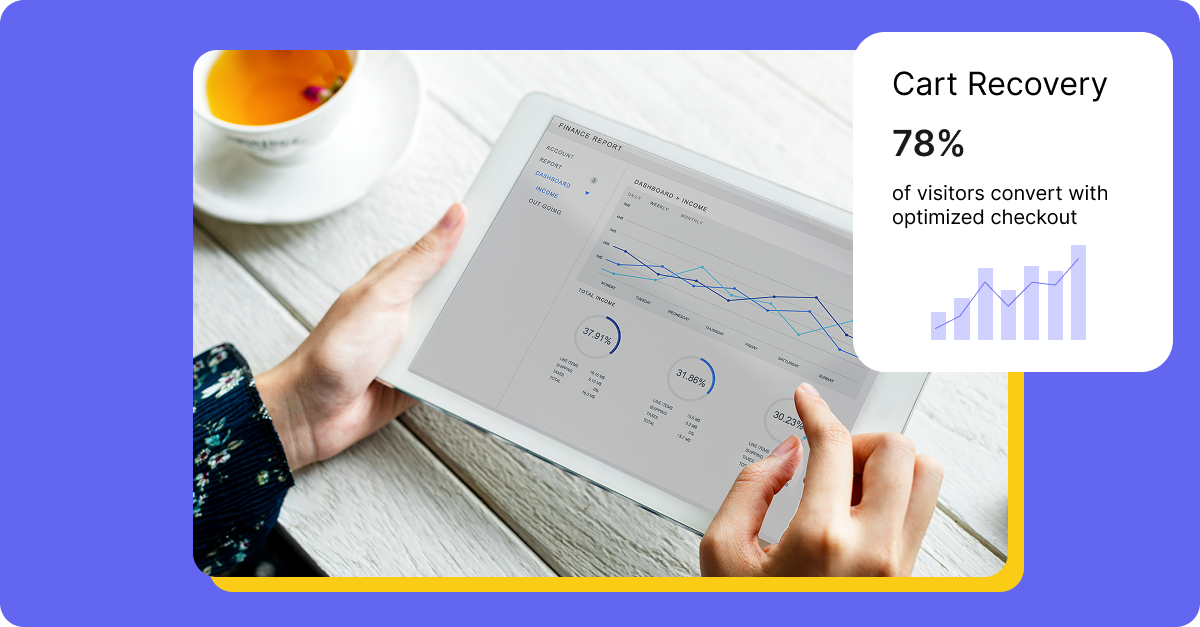
Start here because this is where you’ll see the biggest impact quickly. Research shows about 60% to 80% of users who go to the checkout page don’t complete their purchase. Even the best optimized checkout process has an abandonment rate of 20%.
Install any of the WooCommerce Cart Abandonment Recovery plugin, which captures emails on checkout and sends automated follow-up sequences.
Here’s what actually works from my experience: Set up a 3-email sequence – first email after 1 hour asking if there were technical issues, second after 24 hours as a gentle reminder, third after 72 hours with a 5-10% discount code. The plugin handles unique checkout links automatically, so customers land exactly where they left off.
Tip: Don’t get fancy with your first recovery email. I’ve seen elaborate templates with multiple CTAs and product recommendations tank conversion rates. Keep it simple – one clear message, one button, done.
Legal Compliance Note
Before implementing cart abandonment emails, ensure you’re compliant with GDPR, CCPA, and other privacy regulations. You need explicit consent to capture and store email addresses. Consider adding a small checkbox during checkout like “Email me if I forget to complete my purchase” or ensure your terms of service cover this practice.
Optimize Your Checkout Page (90 minutes)
Your checkout is probably bloated. Strip out everything that doesn’t directly help complete the purchase. Last month I helped a client remove their newsletter signup checkbox from checkout and saw a 12% bump in conversions immediately.
Remove guest checkout barriers – requiring account creation kills conversions. Enable guest checkout in WooCommerce settings and only ask for accounts post-purchase. Trust badges need to be visible but not overwhelming. PayPal, SSL certificates, money-back guarantees – pick three max.
For payment options, alternative payment methods like Digital Wallets and Buy Now, Pay Later(BNPL) options are gaining traction on WooCommerce stores (estimated at 15% of total transactions). Add Apple Pay and Google Pay if you haven’t already. The WooCommerce Stripe plugin handles this cleanly.
Speed Up Your Product Pages (45 minutes)
Slow product pages are conversion killers. Run your product pages through PageSpeed Insights. If you’re scoring below 90 on mobile, you’ve got work to do.
Install WP Rocket or similar caching plugin if you haven’t. Compress product images with ShortPixel/Smush – it’ll handle existing images in bulk. For new uploads, set WordPress to automatically compress images at upload.
The biggest mistake I see? Loading every product variation image at once. Use lazy loading for product galleries. Most themes handle this now, but double-check your gallery behavior.
Gotcha warning: Don’t optimize images too aggressively. I’ve seen store owners compress product images to the point where quality suffers. Keep JPEG quality at 85-90% minimum for product photos.
Remember: Blurry product photos hurt conversions more than slow load times.
Quick Speed Wins Checklist
- Enable browser caching
- Minimize CSS and JavaScript files
- Use a CDN for images and static files
- Remove unused plugins (each plugin adds load time)
- Choose a lightweight, speed-optimized theme
- Limit the number of products per page (20–30 max)
- Disable unnecessary WooCommerce features you’re not using
Mobile Checkout Optimization
Don’t overlook mobile users! Here’s what you need to check:
- Form fields should be large enough to tap easily (minimum 44×44 pixels)
- Use appropriate input types (numeric keyboard for phone numbers, email keyboard for email)
- Enable autofill for address fields
- Reduce the number of form fields – combine first/last name if possible
- Test your checkout on actual devices, not just browser simulators
Shipping Cost Transparency
One of the biggest cart abandonment triggers is unexpected shipping costs. Combat this by:
- Showing estimated shipping costs on product pages
- Offering a shipping calculator before checkout
- Setting clear free shipping thresholds (“Add $15 more for free shipping!”)
- Being upfront about international shipping costs
Add Social Proof That Actually Works (30 minutes)
Reviews work, but only if they’re displayed right. Don’t just dump star ratings everywhere. Show recent reviews with actual customer names and photos when possible. The built-in WooCommerce reviews are fine, but consider upgrading to something like Customer Review for better display control.
Add a simple “recently purchased” notification. Nothing screams amateur like aggressive pop-ups every 10 seconds.
Stock scarcity works but be honest about it. “Only 3 left in stock” is powerful when true, manipulative when fake. Your customers aren’t stupid.
Effective Social Proof Elements
- Review Recency: “Verified purchase from last week” beats anonymous 5-star ratings
- Photo Reviews: Customers trust reviews with real product photos 10x more
- Response to Reviews: Show that you respond to both positive and negative feedback
- Video Testimonials: If you can get them, video reviews convert incredibly well
- Total Sales Counter: “Over 2,500 customers love this product”
Tip: Incentivize reviews, but never buy fake ones. Offer a small discount on the next purchase for leaving a review. Use automated emails 7–14 days after delivery asking for feedback – this timing catches customers after they’ve actually used the product.
Before You Start Testing
Before implementing any major changes to your store, always test on a staging environment first – even minor tweaks can break checkout flows in unexpected ways.
The biggest frustration with conversion optimization? Everyone wants to A/B test everything immediately.
But if your store is getting less than 1,000 unique visitors monthly, statistical significance takes forever. Focus on the obvious problems first: fix cart abandonment, speed up your site, and clean up checkout. Save the fancy experiments for later, when you’ve got traffic to support meaningful data.
When You’re Ready to A/B Test
- You need at least 1,000 conversions per variation to reach statistical significance
- Test one element at a time (changing multiple things makes results meaningless)
- Run tests for at least 2 weeks to account for weekly traffic patterns
- Use proper testing tools like Google Optimize or VWO
- Don’t stop tests early just because you see positive results
Bonus: Quick Wins You Can Implement Right Now
Exit-Intent Popups
Catch users before they leave with a last-minute offer. Keep it simple:
“Wait! Here’s 10% off your first order.”
Progress Indicators on Checkout
Show customers they’re on “Step 2 of 3” – it reduces anxiety and increases completion rates.
Clear Return Policy
Display your return policy prominently on product pages. A generous, clearly stated return policy builds trust and paradoxically reduces actual returns.
Live Chat Support
Even a simple chatbot can answer common questions and prevent cart abandonment. Tidio and LiveChat both have free tiers that work with WooCommerce.
Abandoned Cart Recovery Bar
Show a persistent bar at the top of your site when someone returns with items in their cart:
“You have items waiting in your cart – complete your order now!”
